

POST /credits/check before the work and POST /credits/track after it. Neither request carries a credit amount. You describe the work as the usage events it produces, and Alguna prices those events against the metric’s consumption rule.
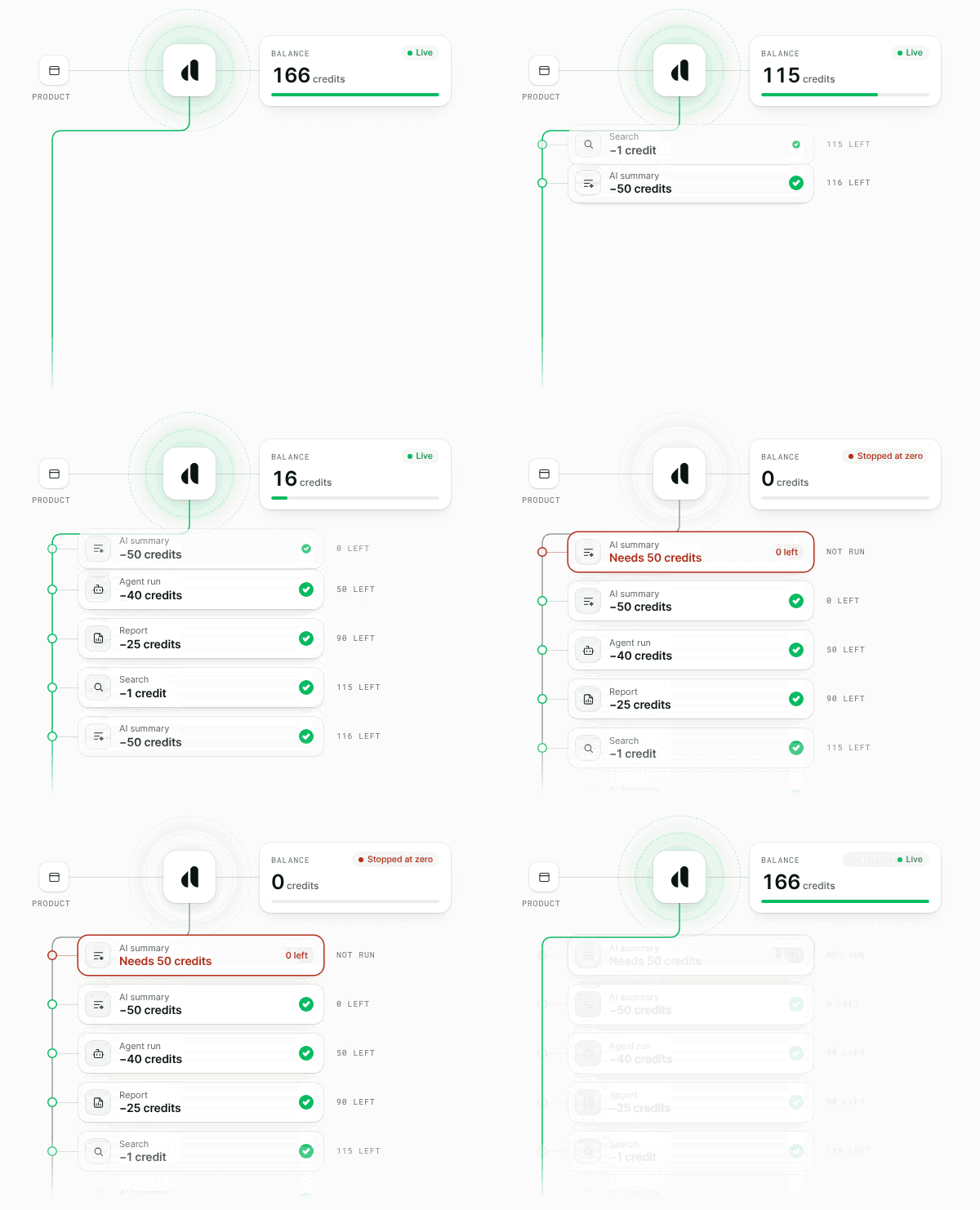
How it works
- Configure once, in the dashboard. Each metric that should draw credit gets a consumption rule with a price in credits and an at-zero policy. Each grant that should pay for gated work gets gate funding.
- Check before the work. Your application calls
/credits/check. Withreserve, Alguna places a hold on the credit and returns areservation_id. - Track after the work. Your application calls
/credits/trackwith the events that actually happened. Alguna draws the credit, records the usage, and releases what the hold did not need.
/credits/track call.
Before you start
Setup is dashboard configuration. There is no public API for consumption rules or for gate funding.Set a consumption rule for each metric
Under Settings → Workflows → Billing → Credits, add a rule for each billable metric whose usage draws credit. A rule sets:
The rule is also shown under Credit consumption on the metric page. See Consumption rules.
Fund the gate from a grant
Open Customers, select the customer, and open the Credits card, or the Credits & Entitlements section of one of their subscriptions. Click Add Credits, chooseUnits, and set Gate funding:
Recurring allowances come from a
credit_allocation entitlement on the plan or subscription, which creates a grant each period. See Realtime gate funding.
Confirm the gate is enabled
Real-time credits are enabled per organization. Until it is enabled for yours,/credits/check returns allowed: false with an empty balances array, and /credits/track accepts no new draws.
Create a client
The examples on this page use the official SDKs. Each one reads the API key fromALGUNA_API_KEY. Create a key under Settings → Connections → Developers → API Keys. Sandbox requests go to https://api.sandbox.alguna.io with a sandbox key.
cust_abc123 and a count metric fed by the event api_call. For a metric that sums a property, put that property in each event’s properties: it is the quantity that gets priced.
Price work without spending credit
Call/credits/check without reserve to learn what work would cost. Nothing is recorded, no credit moves, and the response’s charges carry the price per metric.
Reserve credit before the work
Addreserve to open a hold. A hold needs an Idempotency-Key: it identifies the hold, so a retry with the same key returns the same reservation instead of opening a second one.
Read the decision
Insufficient credit is not an error. The call returns200 and the decision is in the body:
When the work feeds several metrics with different policies,
at_zero_action reports the strictest, stop. balances lists availability per ledger, and it can be empty, so check its length before reading it.
Size the hold
A hold lasts 15 minutes. Set
ttl_seconds (1 to 14400, which is 4 hours) for longer work. Each accepted settle moves the expiry forward.
Track what the work used
Send the events that actually happened, with thereservation_id and close. Alguna draws the credit, records the events as usage, and releases what the hold did not need.
close is required whenever reservation_id is set:
falserecords progress and keeps the hold open. Use it for long runs that report as they go.trueis the final call. The hold closes and its remainder is released.
/credits/track are already metered. Do not also send them to POST /events, or the usage is counted twice.
Settles that price past the hold
On astop metric, a settle can price past what the hold authorized, or arrive after credit ran out. on_envelope_exceeded decides what happens:
on_envelope_exceeded is valid on settles only, not on direct draws.
Release a hold the work never used
If the work is cancelled, close the reservation with no events. Nothing is charged and the whole hold is released. An unclosed hold also expires on its own.Draw without a reservation
Sendaccount instead of reservation_id to draw the account’s credit directly, with no hold. Use it for small, instant actions where a separate check adds nothing. close and on_envelope_exceeded are not valid on a direct draw.
Common patterns
One balance across your product
Sell one credit balance and price each action on its own.- Define a billable metric for each action, such as
search,reportandai_summary. - Give each metric a consumption rule with its own rate, for example 1, 25 and 50 credits per event.
- Give the customer one
Unitsgrant with gate fundingall.
all also funds metrics that get a consumption rule later. To change what an action costs, edit its consumption rule in the dashboard. Your code does not change.
Free plan with a hard limit
Give free accounts a fixed amount of credit and stop usage when it runs out.- Set the metric’s consumption rule to
stopat zero. - Give each free account a
Unitsgrant with gate funding on. - Before each fixed-cost action, draw directly with
/credits/track. Whenallowedistrue, run the action. When it isfalse, show an upgrade prompt instead.
Prompting a top-up
When a check on astop metric returns allowed: false, your product knows the customer is out of credit and can show a top-up or upgrade prompt. To reach the customer outside your product, subscribe to the account.credits.balance_depleted webhook, which fires when a credit balance reaches zero. The credits_depleted automation trigger fires on the same condition, so you can email the customer without writing a webhook handler.
Credit added for a top-up must have gate funding turned on to count for real-time usage. Add it from the customer’s Credits card. Recurring allowances come from a credit_allocation entitlement.
How gated usage is invoiced
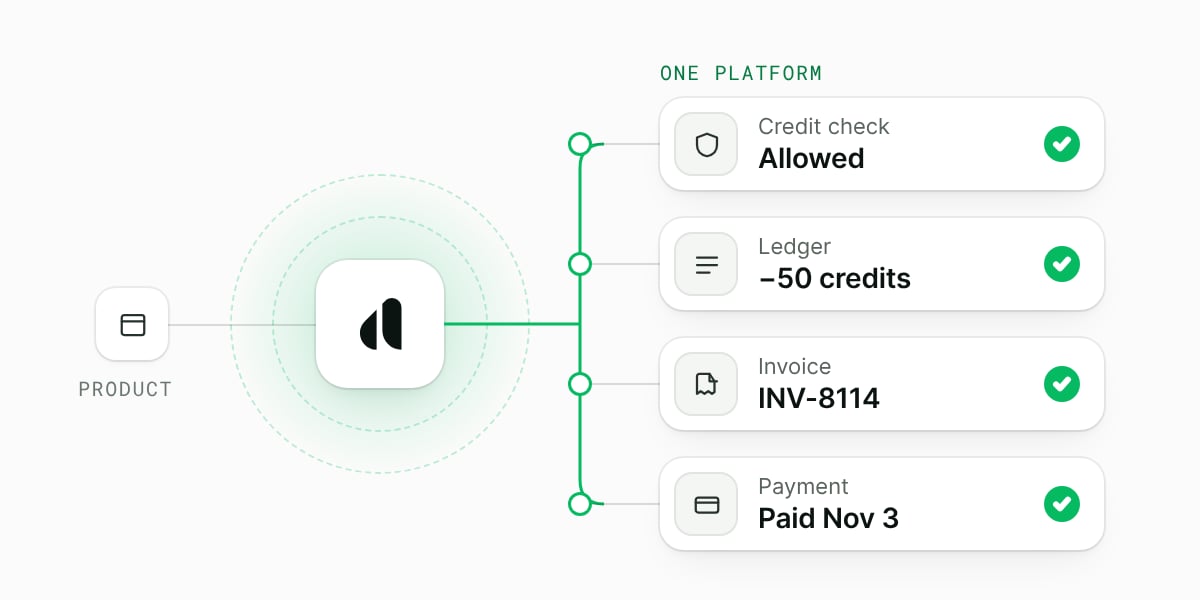
/credits/track are metered like any other usage. When the invoice for the period is priced, Alguna subtracts the usage that credit already covered from each metric’s quantity before pricing it. The invoice bills only what credit did not cover, which is the overflow the gate reported.
Covered usage is removed before pricing, so on a tiered price the remaining usage is priced from the first tier. Gated usage is never invoiced twice.
Read a reservation
GET /credits/reservations/{reservation_id} returns a hold’s status, what it has remaining, the metrics it covers, and every close already committed against it. It settles nothing. Use it when a client lost track of a settle and needs to find out what already landed before it sends anything again. In the SDKs it is credits.getReservation (TypeScript) and credits.get_reservation (Python).
Retries and idempotency
unique_ididentifies each event. It must be unique within a payload, at most 72 characters, and the same on every retry. A resent event is applied once.Idempotency-Keyis required withreserve. It is optional on/credits/track, where the events’unique_ids identify the draw.- The SDKs generate no key for these calls. They still retry them, because the events identify the work, and they send a key that you pass on every attempt. See Writes identified by their events.
- Reusing a key for a different request returns
409. Retry with a new key.
Errors
See Errors for the error body and retry guidance.
Limits
Next steps
Credit Grants
Create grants and set gate funding.
Credit Consumption
Consumption rules and invoice-time draws.
Errors
Error bodies and retry guidance.
Idempotency
How retries stay safe.