> ## Documentation Index
> Fetch the complete documentation index at: https://alguna.com/docs/llms.txt
> Use this file to discover all available pages before exploring further.
# Recurring Invoices
> How recurring invoices are managed in Alguna
Once a customer is created and they have a subscription assigned, Alguna automatically creates an invoicing schedule and prepares invoices for review and approval.
## Overview of the Invoice
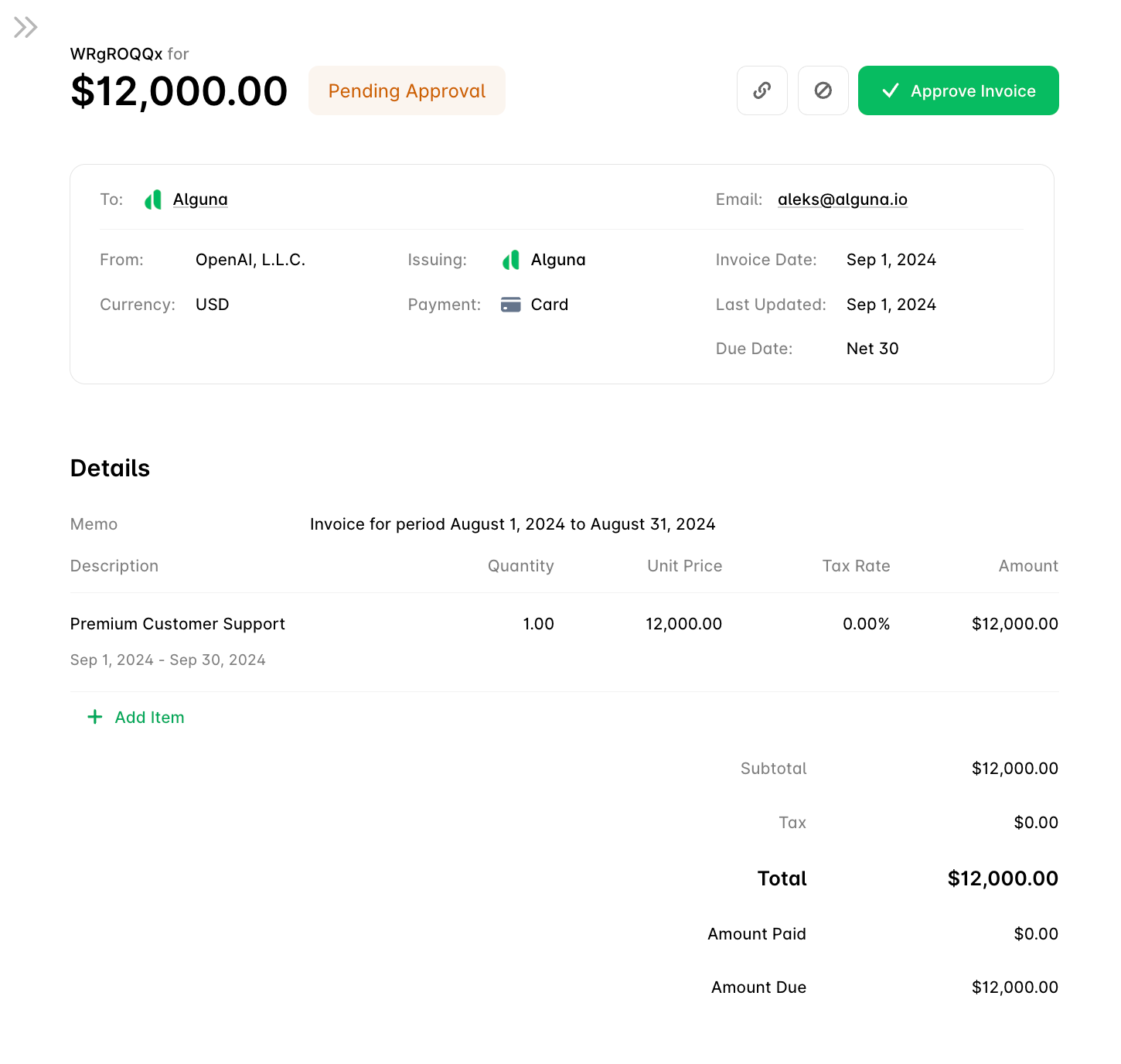
At the top of the screen, you will see the key details of the invoice:
* **Total Amount**: This is the total amount due for the invoice.
* **Status**: The current status of the invoice is `Pending Approval`. This means the invoice must be reviewed and approved before it is sent to the customer.
### Actions You Can Take
You have three main actions you can take on the invoice:
* **Approve Invoice**: Clicking this button will approve the invoice and allow it to be sent to the customer.
* **Copy Invoice Link**: You can copy the link to share the invoice with others.
* **Cancel Invoice**: If you do not want to approve this invoice and skip issuing, you can click the cancel button.
***
## Invoice Details
This section provides more detailed information about the invoice.
* **To**: This shows the customer receiving the invoice. When you hover over the customer name you will be able to check and edit their billing address details.
* **From**: The legal entity issuing the invoice.
* **Currency**: The currency in which the invoice is billed based on the customer's invoice view.
* **Payment Method**: The default payment method for a given customer.
* **Invoice Date**: The date the invoice was ready for approval.
* **Due Date**: The payment due date is based on the customer's payment terms (e.g., **Net 30**). The due date is calculated when the invoice is issued.
***
## Breakdown of Charges
The **Details** section shows a breakdown of what the customer is being charged for.
* **Memo**: Describes the billing period for the services or any other invoice information that you want to share with the customer.
### Adding Line Items
You can add more items to the invoice by clicking **Add Item**.
 ### Editing Line Items
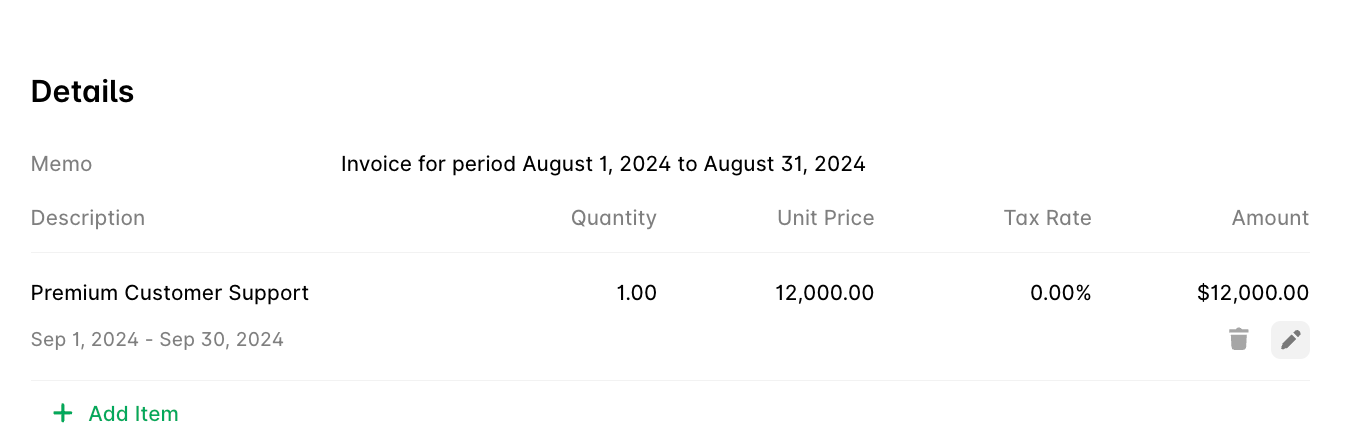
You can edit items in the invoice by clicking on the icon to **Edit Item**.
### Editing Line Items
You can edit items in the invoice by clicking on the icon to **Edit Item**.
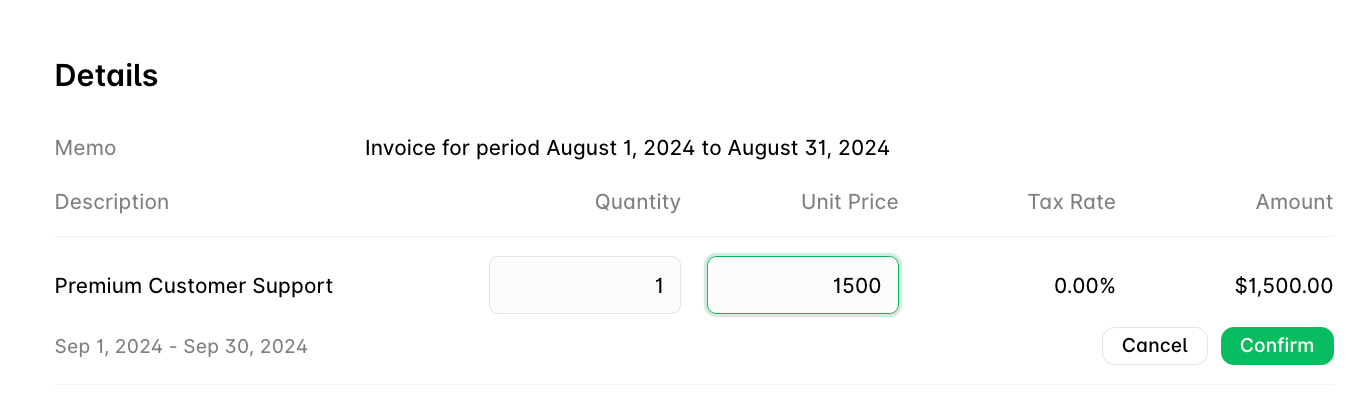
 After making adjustments, you can save your changes by clicking **Confirm**.
 ### Deleting Line Items
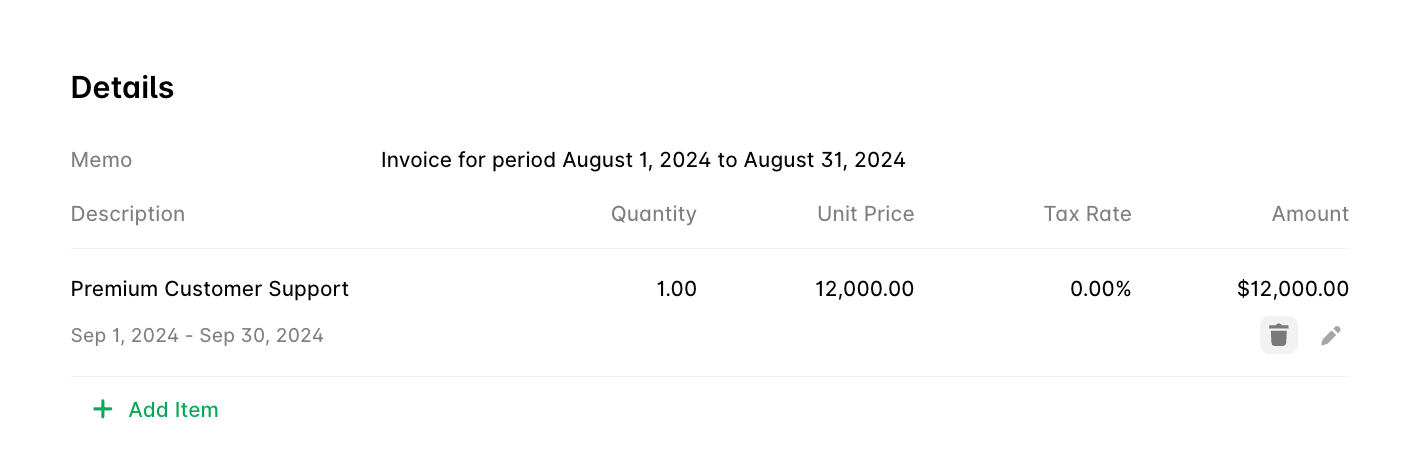
You can remove items from the invoice by clicking on the icon **Delete Item** and using a double action confirmation.
### Deleting Line Items
You can remove items from the invoice by clicking on the icon **Delete Item** and using a double action confirmation.
 ***
### Invoice Amounts
* **Subtotal**: The subtotal for all items on the invoice.
* **Tax**: The total tax applied to this invoice.
* **Total**: The final total that the customer needs to pay.
* **Amount Paid**: No payments have been made yet.
* **Amount Due**: The amount the customer still needs to pay.
***
## Final Step: Approving the Invoice
Once you have reviewed the invoice and you are ready to approve it, click the green **Approve Invoice** button. This will finalize the invoice and send it to the customer for payment.
***
### Invoice Amounts
* **Subtotal**: The subtotal for all items on the invoice.
* **Tax**: The total tax applied to this invoice.
* **Total**: The final total that the customer needs to pay.
* **Amount Paid**: No payments have been made yet.
* **Amount Due**: The amount the customer still needs to pay.
***
## Final Step: Approving the Invoice
Once you have reviewed the invoice and you are ready to approve it, click the green **Approve Invoice** button. This will finalize the invoice and send it to the customer for payment.