> ## Documentation Index
> Fetch the complete documentation index at: https://alguna.com/docs/llms.txt
> Use this file to discover all available pages before exploring further.
# Alguna Tax
> Learn how to tax customers via the Alguna Dashboard
Alguna allows you to manage your customer's tax rates using 3rd party integrations such as Stripe Tax or the Alguna Tax Module.
## Tax Settings
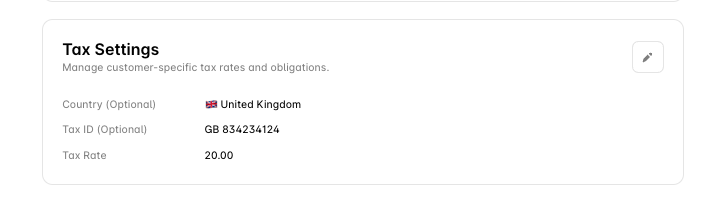 This section manages customer-specific tax rates and obligations.
* **Country**: The country for which tax settings apply.
* **Tax ID**: Tax ID or VAT number for this customer.
* **Tax Rate**: The applicable tax rate for this customer.
***
This section manages customer-specific tax rates and obligations.
* **Country**: The country for which tax settings apply.
* **Tax ID**: Tax ID or VAT number for this customer.
* **Tax Rate**: The applicable tax rate for this customer.
***